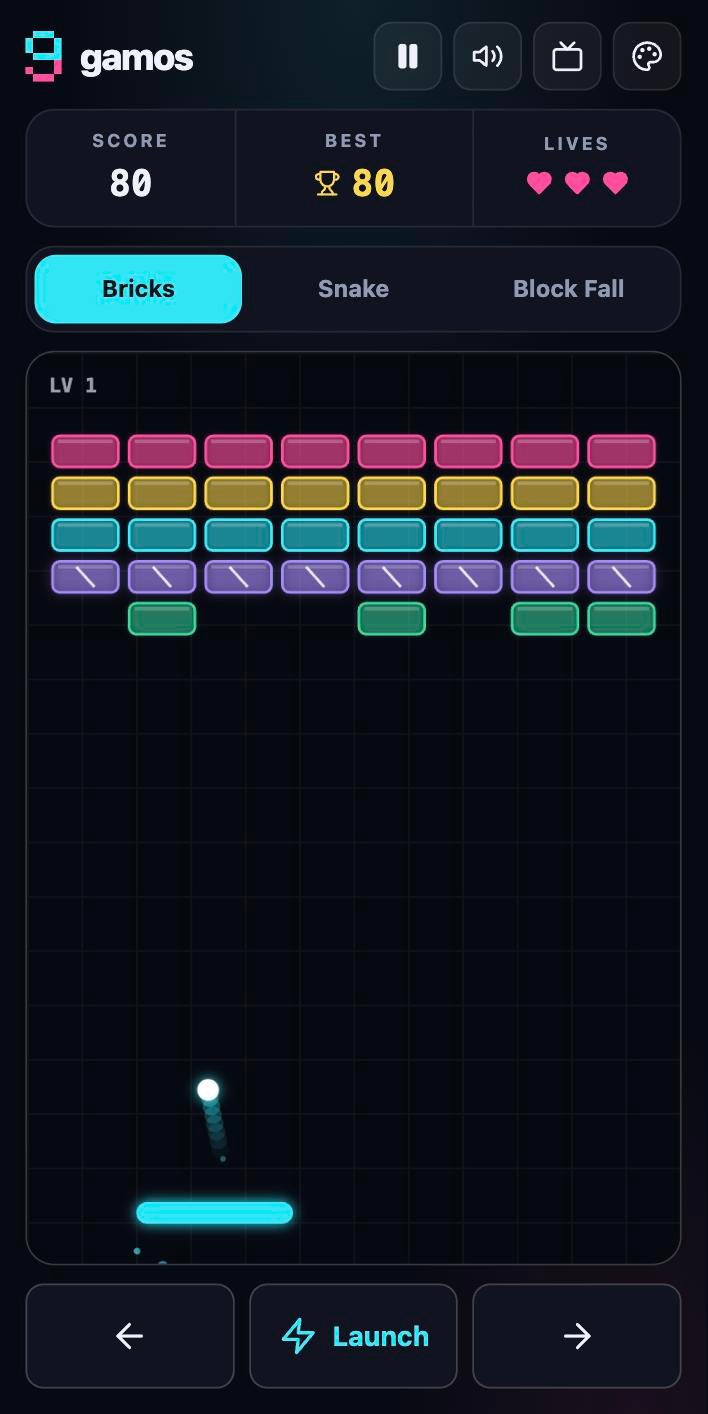
Bricks
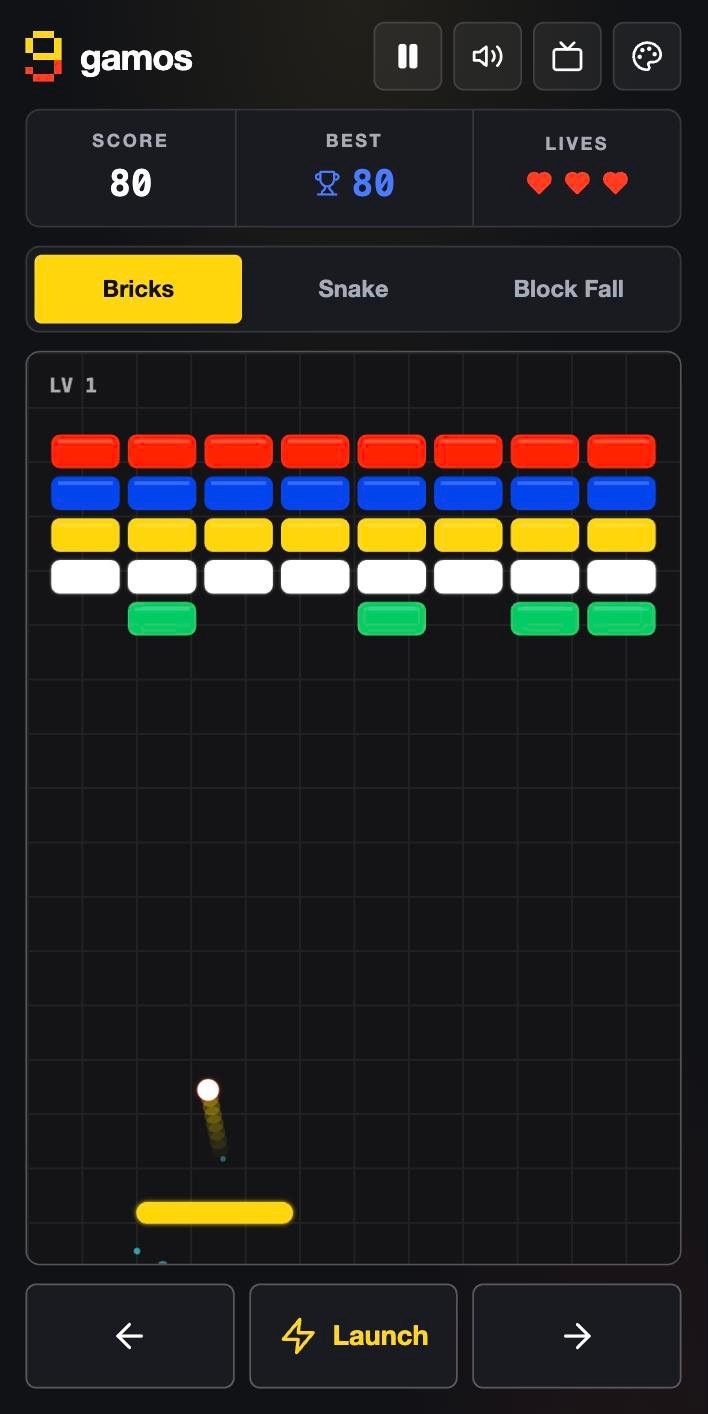
Angle-controlled paddle, power-ups, combos and rising levels. The ball waits until you launch it.
- Drag or arrows
- Space to launch
Free · Open source · Works offline
Play Bricks, Snake and Block Fall anywhere. Then tap the high score six times and a warm, encrypted journal opens, made for people who have never kept one.
How it works
To anyone glancing at your screen, gamos is just a game. You know better.
Three classic games, tuned for touch and keyboard. Scores are saved on your device.
Quickly, like a drumroll on the Best score. The passcode prompt appears. Try it below.
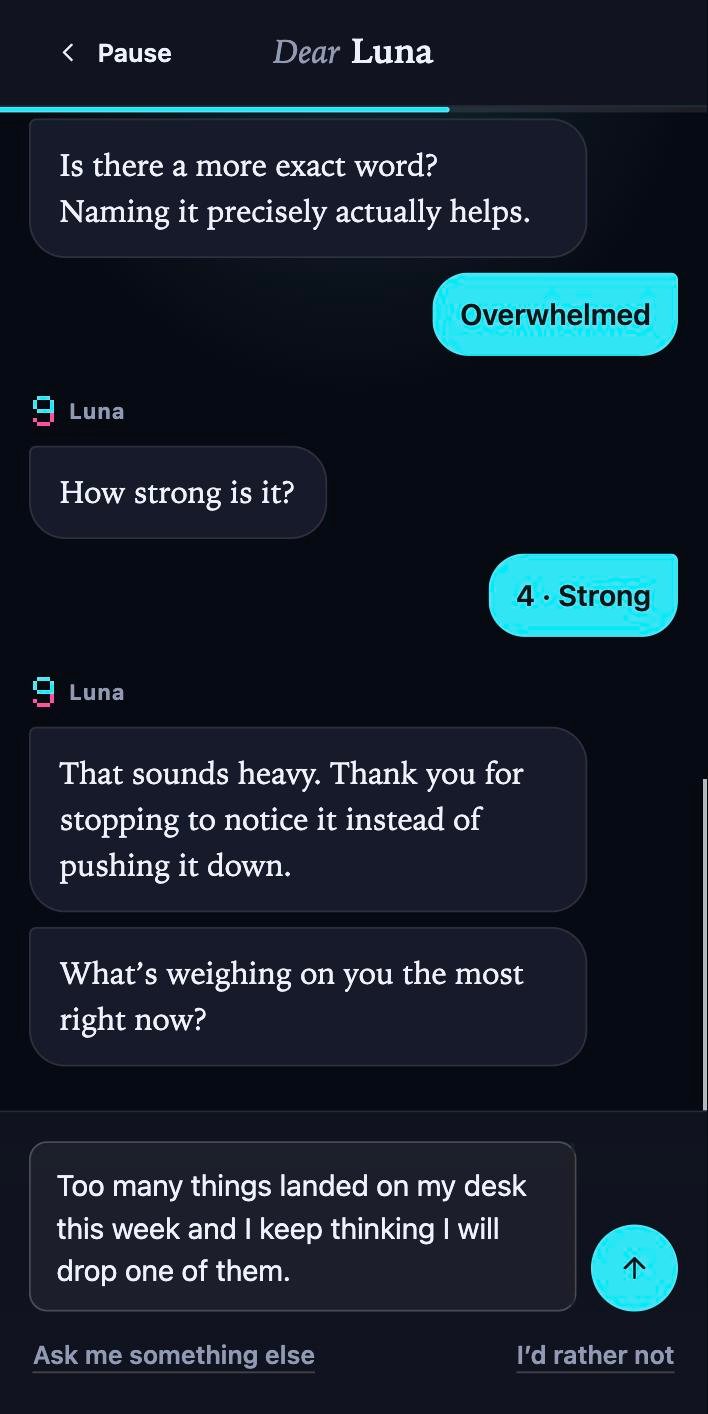
Name it. It asks how you feel, listens, and remembers. Pour it out or finish in twenty seconds.
This is the real gesture. Tap the Best box six times in under three seconds.
Tap the trophy…
The arcade
Built for a quick break: pause when you switch tabs, resume where you left off, and it plays the same on every screen.
Angle-controlled paddle, power-ups, combos and rising levels. The ball waits until you launch it.
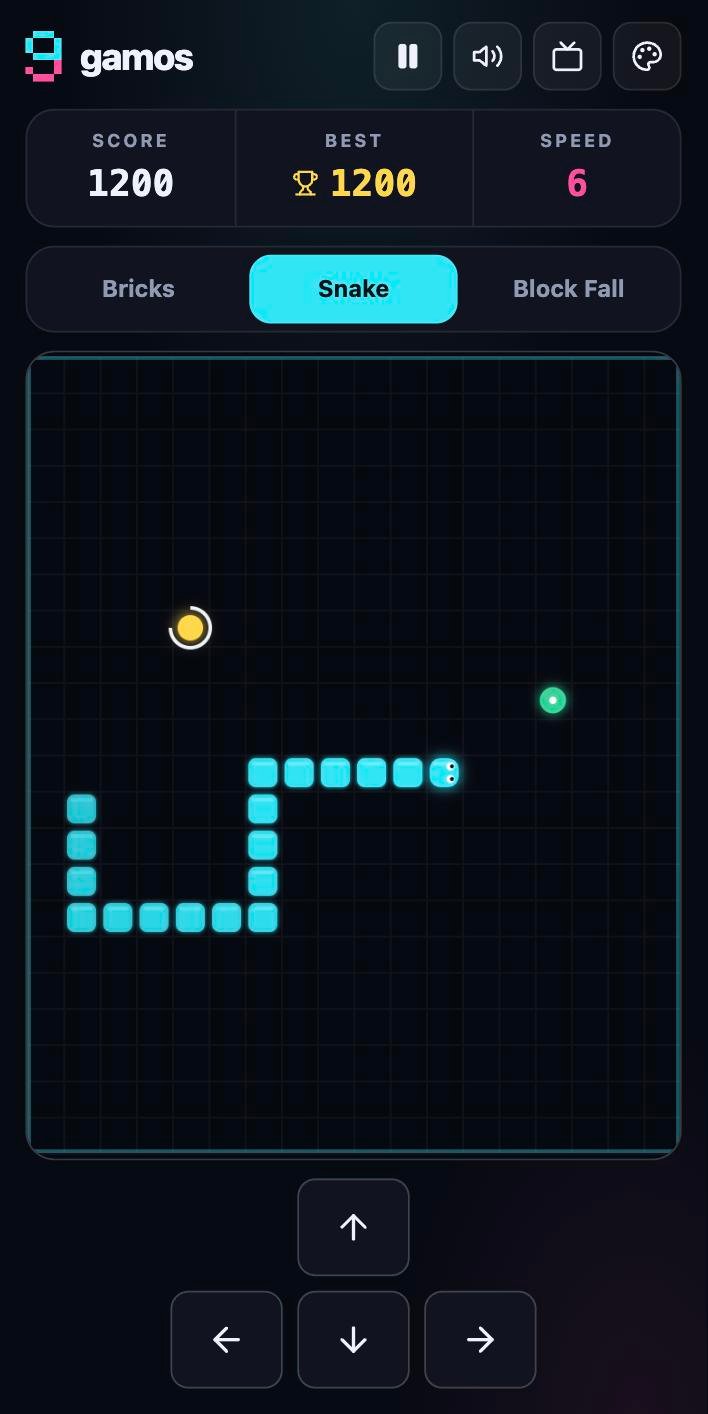
Buffered turns so quick taps never get lost, golden and freeze berries, and a win if you fill the board.
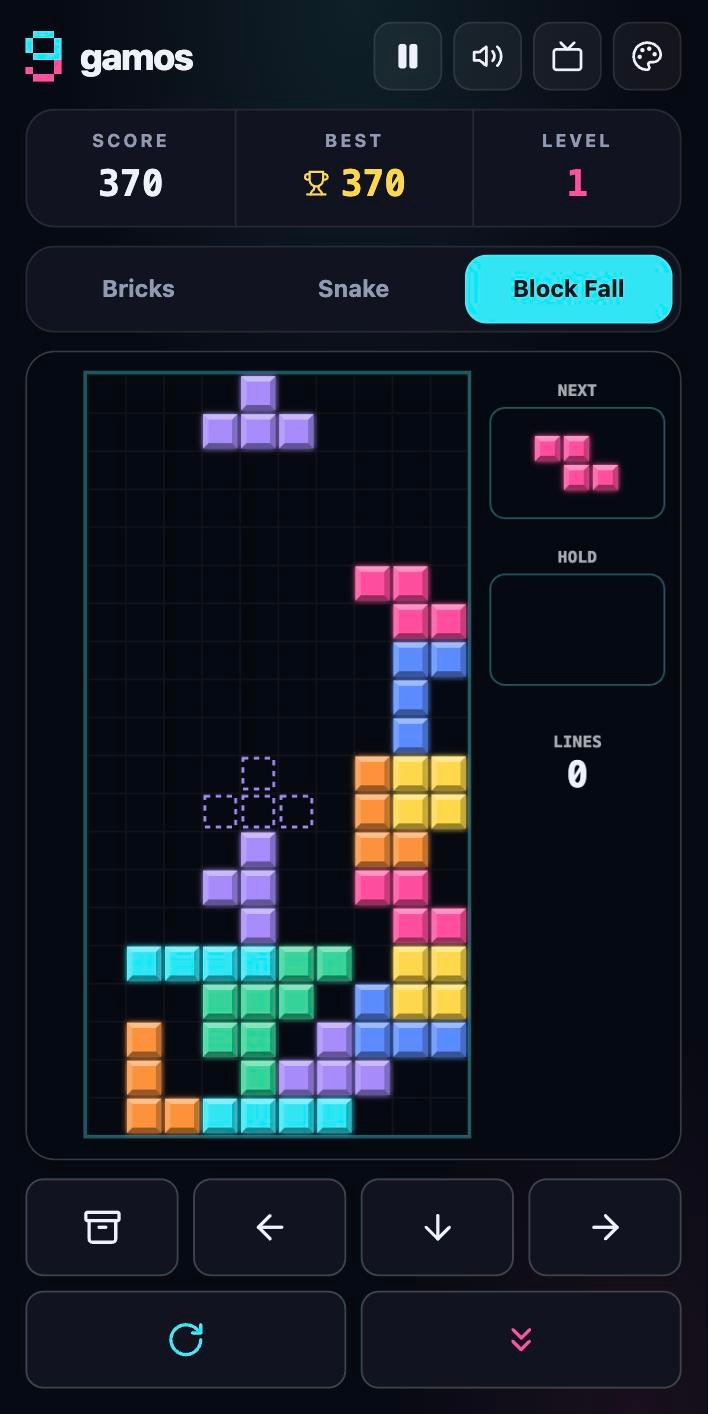
Seven-bag pieces, wall kicks, ghost piece, hold, next preview and lock delay, all drawn inside the board.
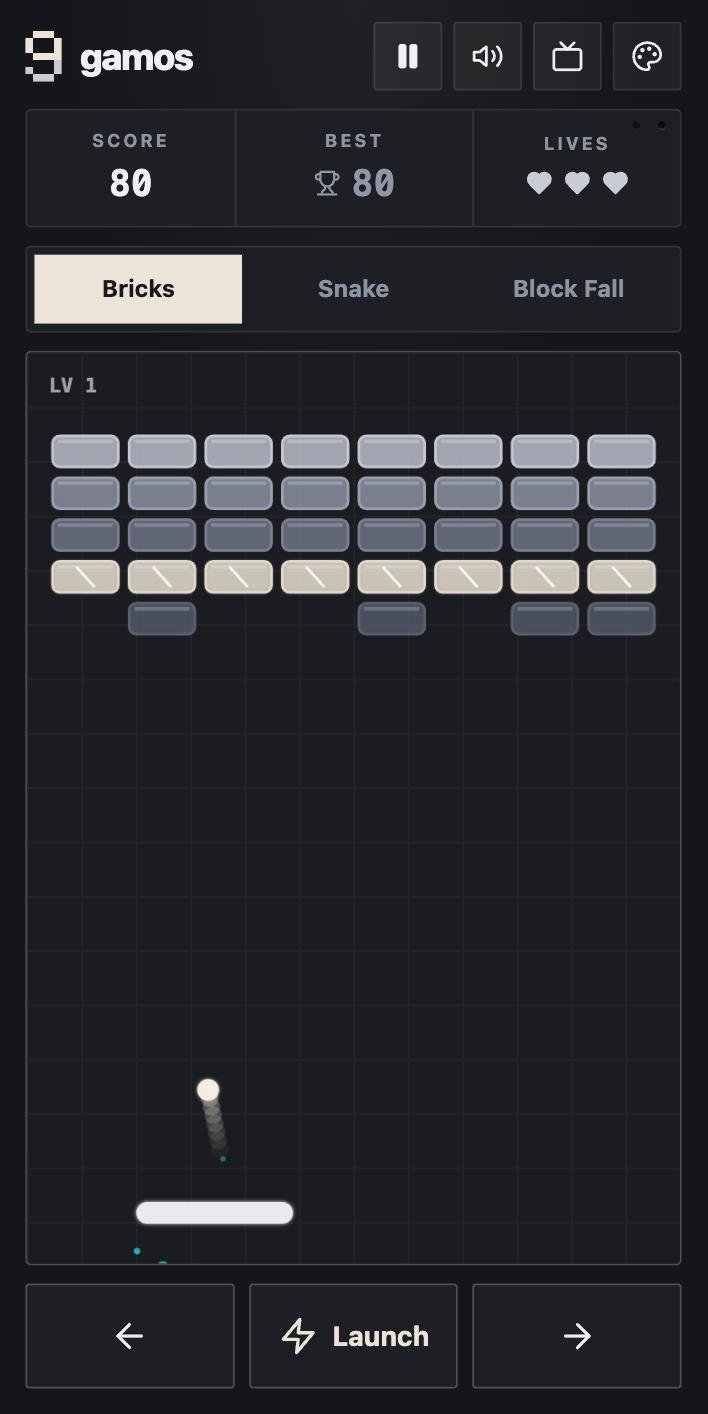
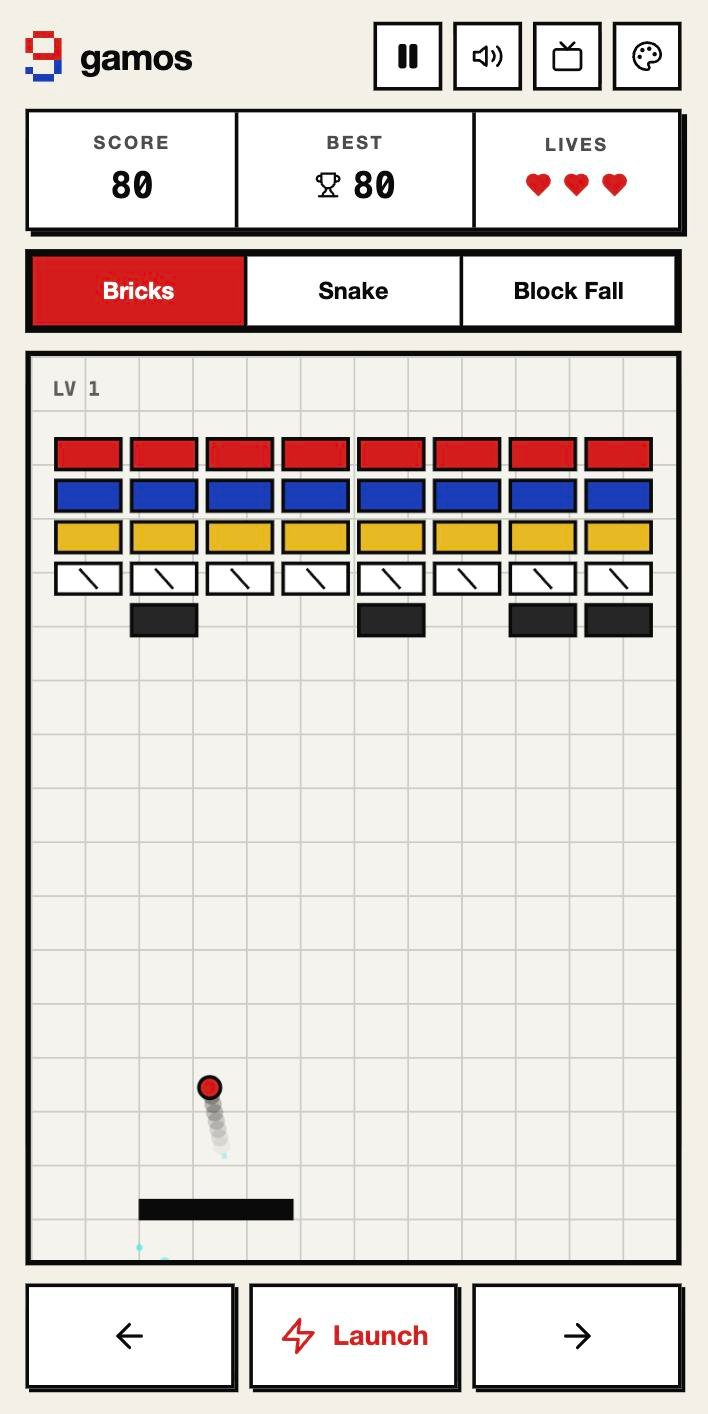
Minimal, Paul Rand, Tadao Ando and Mondrian restyle the games and the whole app, from the scoreboard to the diary.
The diary
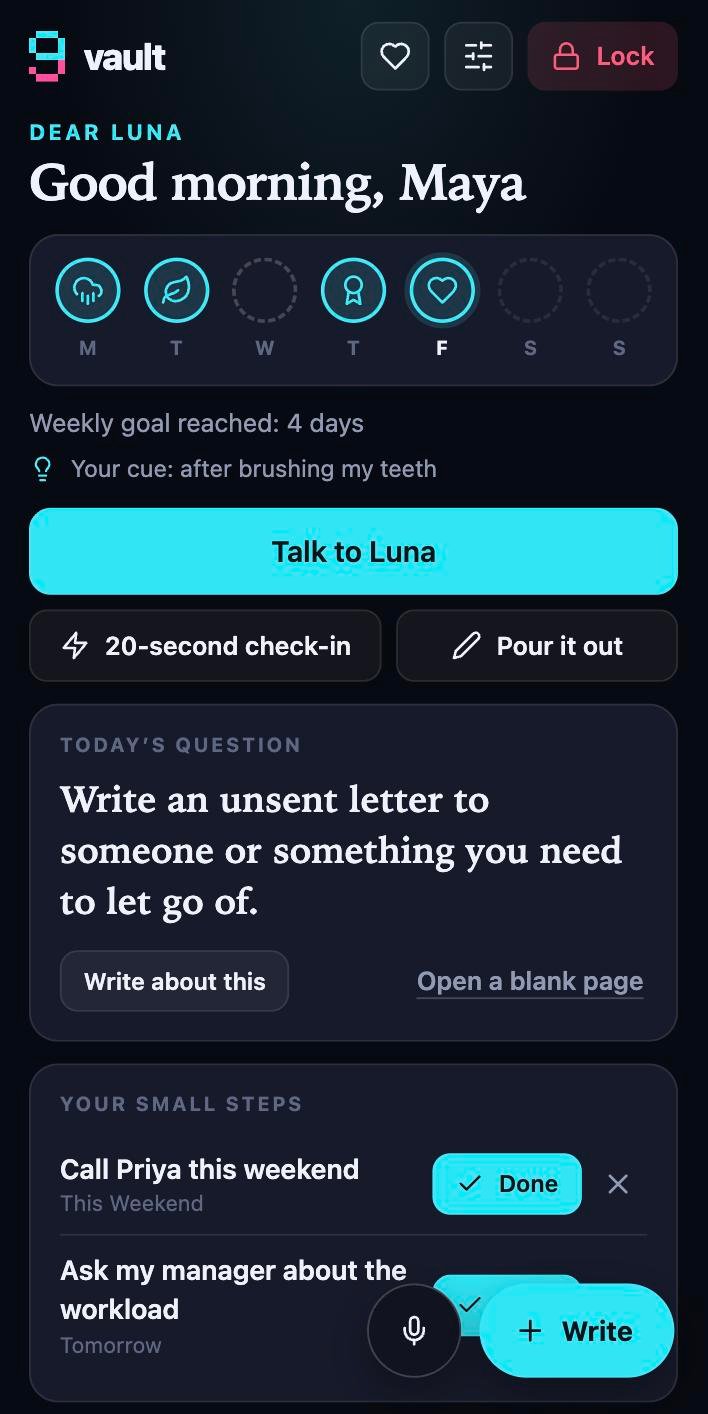
If you have never written a journal, a blank page is the hardest part. gamos replaces it with a conversation: you name your diary, and it meets you where you are today.
Twelve feelings, each with finer words like overwhelmed or disappointed. Naming a feeling precisely makes it easier to carry.
One gentle question at a time, answers that mirror your own words, and support that fits the feeling: grounding when you’re anxious, tiny actions when you’re low, savouring when things are good.
A quiet full-screen page. No interruptions, no judging, saved as you type. The diary only speaks when you’re done.
Leave a conversation with one small step. Next time, your diary asks how it went. That’s how reflection turns into action.
Write something long and gamos shows how the feeling moved as you wrote, the emotions and themes in your words, and the lines that stood out.
“Always”, “everyone thinks”, harsh self-labels: it points to the sentence and asks one open question. A mirror, not a verdict.
A twenty-second check-in made of taps still counts. Or open the prompt library: gratitude, kindness, memories, and sentence starters for when nothing comes.
Your week at a glance, a streak that survives a missed day, a weekly goal and a cue tied to something you already do. No guilt, ever.
Built-in numbers for India (Tele-MANAS, KIRAN and more), the US, UK, Canada, Australia and others. Offline, and never sent anywhere.
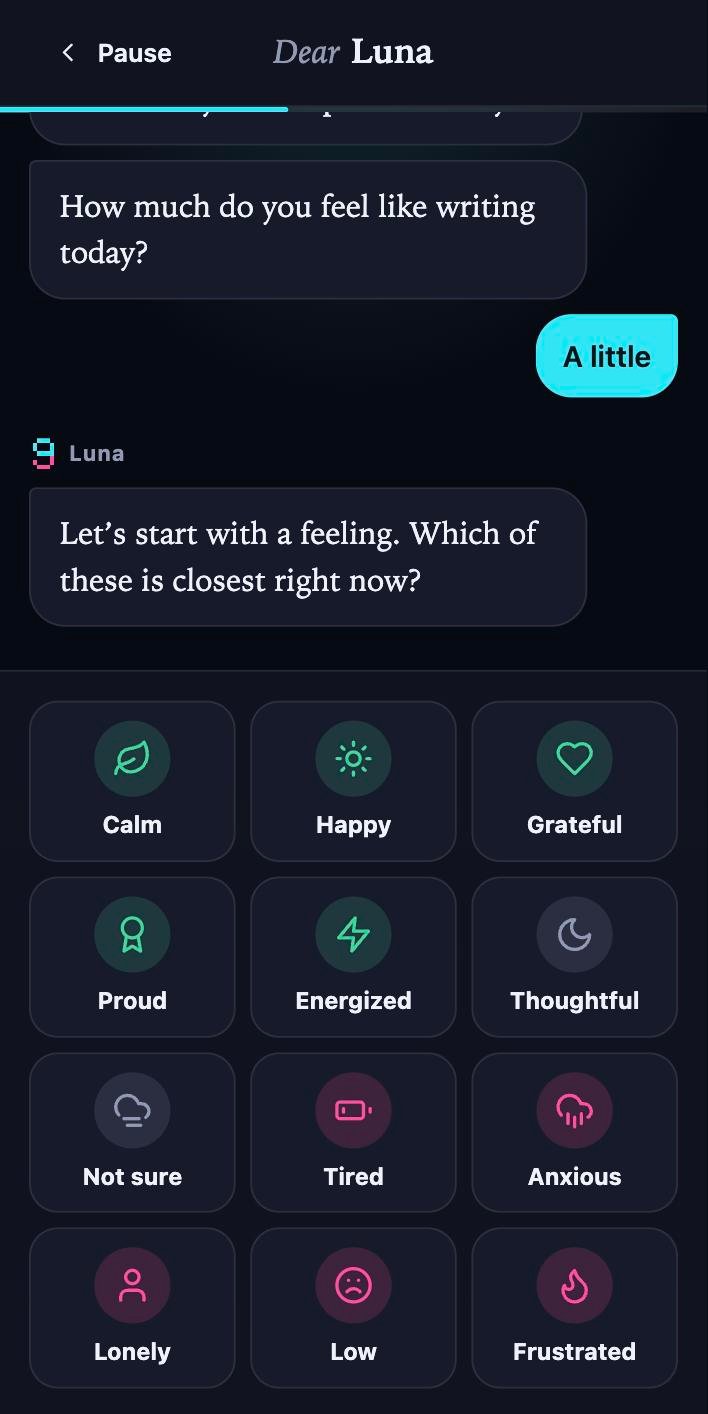
Made for first-timers
That’s the person gamos is built for. Pick a feeling, tap an answer, or say one sentence. Some days you’ll pour your heart out; other days a few taps is enough. Both count.
One sentence is a win.
Tiny commitments with follow-up.
What lifts you, what weighs on you.
No streak shame. Ever.
Privacy and security
We don’t run a server for your diary. Nothing to breach, nothing to sell, nothing to sign up for.
Esc, the Lock button, switching tabs, going idle or leaving the window: the key is wiped from memory in an instant, and your last words are saved first.
Set a second PIN that opens a plain “Saved items” keeper for passwords and small notes. No diary, nothing of yours inside.
Export a .vault file and restore it on another device. It stays encrypted the whole way.
A forgotten passcode cannot be recovered. Nobody, including us, can unlock your journal for you. That is what makes it private. Keep a backup and choose something you’ll remember.
Get gamos
gamos is a web app: no app store, no sign-up. Add it to your home screen and it runs full-screen, offline.
Use it in your browser right now, then install it from there.
Open gamosVersion 2.0.0 · about 1 MB · works offline after the first load
A ready-to-upload build: plain static files, no build tools needed. Open source under the MIT licence.
Download gamos-2.0.0.zipMIT licence · serve over HTTPS
Use the Open gamos button above. (It must be Safari; other iPhone browsers can’t install web apps.)
It’s the square-with-arrow icon at the bottom of the screen.
Look for the icon, then tap Add. gamos now opens full-screen like any app.
Use the Open gamos button above.
Tap at the top right. Chrome may also show an Install banner on its own.
(Some phones say “Add to Home screen”.) Confirm, and gamos appears with your other apps.
Use the Open gamos button above.
It’s the icon at the right end of the address bar, or open the browser menu and choose Install gamos.
Choose File, then Add to Dock. Firefox can’t install web apps, but gamos still works offline there if you keep the page bookmarked.
gamos is static files. No server, database or build tools are needed to run it.
unzip gamos-2.0.0.zip -d gamos
cd gamos
python3 -m http.server 8000
# then open http://localhost:8000
To publish it, upload the unzipped files to any static host. Serve it over HTTPS: encryption, offline mode and the microphone only work on secure origins.
How to use it
| Game | Keyboard | Touch |
|---|---|---|
| Bricks | Arrows or mouse · Space launches | Drag to move, release to launch |
| Snake | Arrows or WASD | Swipe, or the on-screen pad |
| Block Fall | Arrows move · ↑ rotate · Space drop · C hold | Drag, tap to rotate, flick down to drop |
| Any game | P pauses | Pause button |
.vault file from Settings and keep it somewhere safe.Questions
Yes. gamos is free and open source under the MIT licence. There’s no account, no subscription, no ads and no in-app purchases.
It can’t be recovered. Your journal is encrypted with a key made from your passcode, and nobody else has a copy. If you forget it, your entries are gone for good. That’s the price of real privacy, so export a backup and choose a passcode you’ll remember.
Yes. After the first load, gamos caches itself and runs with no connection, including the diary, analysis and support numbers.
By default, only on your device, inside the browser’s own storage, and AES-256-GCM encrypted before it’s saved. There is no account and nobody to hand it to. If you or someone you trust runs a server, gamos can keep the diary there instead, still encrypted on your phone first. Either way, export a backup file now and then: if the browser’s data is cleared or the device is lost, an unbacked-up device diary is gone.
No. Open gamos, add it to your home screen and choose “Use gamos on this device only”. A server is optional, for people who want the diary on their own hardware (a NAS or a web host) or on several devices.
Yes. Add it to your Home Screen from Safari (Share, then Add to Home Screen) so iOS keeps its storage. A page left only in a Safari tab can be cleaned up by iOS after a week of not opening it. Back up with the Export button; on a phone it opens the share sheet so you can save the file to Files or iCloud Drive.
No. The diary’s questions, replies and “reading it back” analysis are rule-based and run on your device. Nothing is sent to a model or a service. It’s modest by design: it describes what’s on the page and never diagnoses.
The interface and the diary’s understanding are in English. You can write in any language: Hindi, Tamil, Arabic and more are saved and counted correctly, and the analysis shows the basics (length, opening and closing lines, questions, repeated words). Detecting heavy feelings and safety language works in English only.
No. gamos is a journaling tool, not a medical service, and it can’t replace professional care. It includes support numbers for several countries (India first) and shows them if your writing suggests you might be in danger, but it never contacts anyone for you.
Recent Chrome, Edge, Safari (16.4 or later) and Firefox (121 or later). The vault needs a secure connection (HTTPS), which this site and any proper host provide.
That erases a diary that lives only on the device. Turn on automatic backup in Settings: pick a folder your Drive, iCloud, Dropbox or OneDrive app syncs and gamos keeps an encrypted copy there. Elsewhere, use Export (on a phone it opens the share sheet). You can restore a backup file from the “Create your vault” screen.
Free, private and open source. Add gamos to your home screen in ten seconds.